
Billing & credits
Microtica Agents bills in credits. One credit is $0.01, and every investigation consumes credits in proportion to the work it took — the model usage behind the digging, reasoning, and reporting. A quick summon costs little; a deep multi-account investigation costs more. Billing belongs to the organization, so one plan and one credit balance cover all its projects.
Billing is managed on the Billing page under Organization settings. Only organization owners and admins can manage billing.
Plans
| Free | Pro | Team | |
|---|---|---|---|
| Price | $0 | $29/mo | $149/mo |
| Included credits | 300/month | 3,000/month | 20,000/month |
| Members | Up to 2 | Up to 5 | Unlimited |
| Credit packs & auto-top-up | — | Yes | Yes |
Enterprise — SSO, custom limits, dedicated support and invoicing — isn’t self-serve. Click Contact sales on the Billing page.
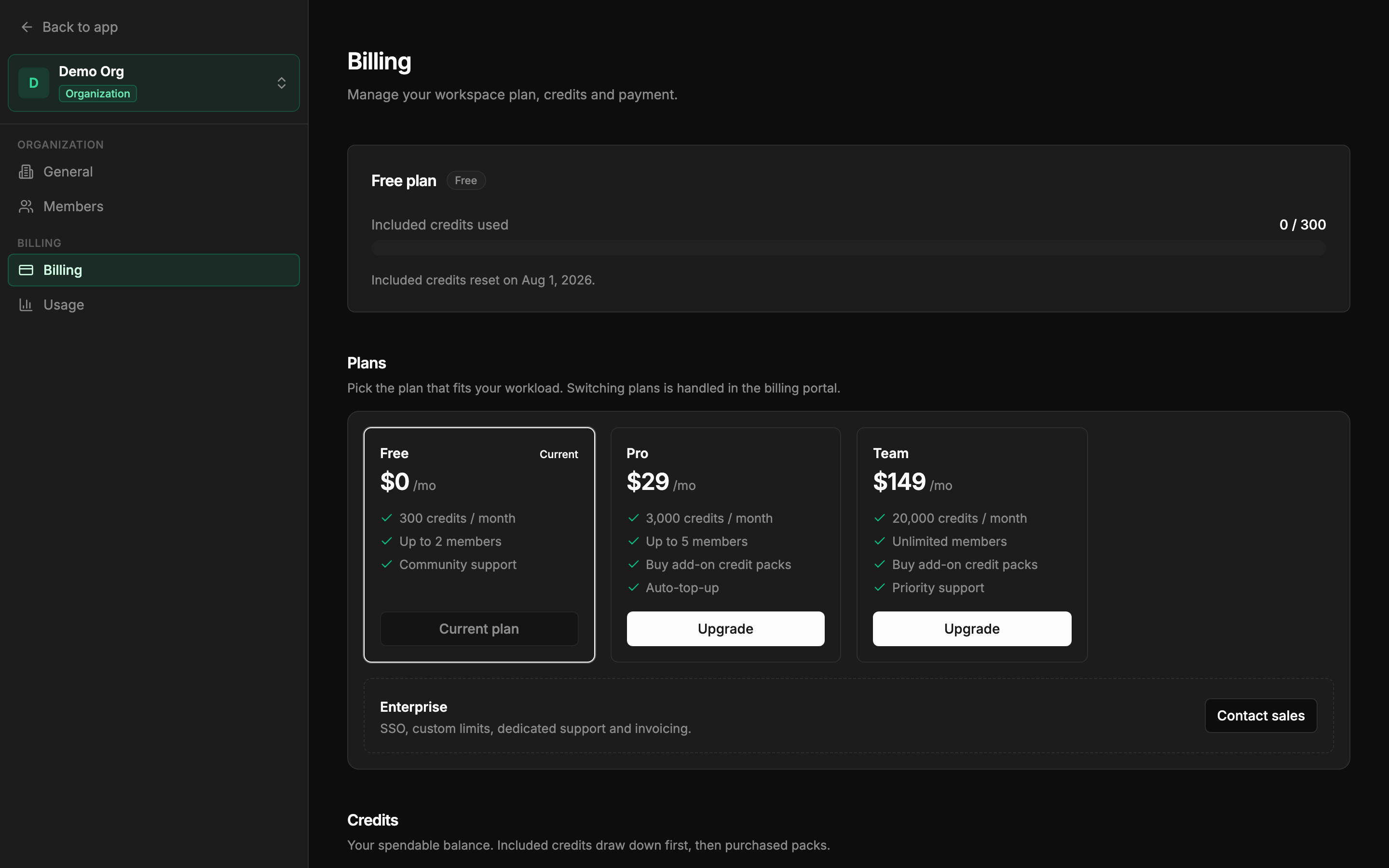 The Billing page — current plan, credit balance, and the plan cards.
How credits are spent
- Included credits are granted at the start of each billing period and reset at the end of it — unused included credits don’t roll over. On Free the period is the calendar month; on paid plans it follows your subscription’s billing period. The Billing page shows the exact reset date.
- Purchased pack credits never expire.
- Included credits draw down first, then purchased packs — so packs act as a buffer that only gets touched when the monthly allowance runs out.
When the balance hits zero, new investigations are blocked and the console shows an Out of credits notice pointing you to Billing.
Holding a watch costs nothing. Its checks are plain read-only API calls against your cloud — no model runs, so no credits are spent while a watch sits armed, however long it waits. Only a fire costs: a review-date nudge runs at the cheapest depth, and a tripped check opens a triage investigation.
Credit packs
On Pro and Team you can buy prepaid packs from the Credits section of the Billing page:
| Pack | Price |
|---|---|
| 1,000 credits | $10 |
| 2,000 credits | $20 |
| 5,000 credits | $50 |
Auto-top-up
Auto-top-up buys a pack for you when the balance runs low, so a busy incident week never stalls on an empty balance. In the Credits section, switch on Auto-top-up and set:
- When balance falls below (credits) — the trigger threshold. Defaults to 200 credits.
- Buy this pack — which pack to buy. Defaults to the 2,000-credit pack.
It charges the payment method saved on your subscription, and it’s available on Pro and Team only.
Managing the subscription
Payment details, invoices, and plan changes are handled in the Stripe billing portal — click Manage subscription on the Billing page. Upgrading from Free goes through checkout via the Upgrade button on a plan card; between paid plans, Switch plan takes you to the portal. Cancel plan schedules a downgrade to Free at the end of the paid period — the page shows “Your plan ends on” the date, and until then a Renew plan action can undo it.
Watching usage
The Usage page in each project’s settings shows where credits go: totals for Credits this period, Investigations, and Tokens; a Credits over time chart of daily spend; Usage by user, attributing credits to each member; and an Investigation activity heatmap of agent runs per day over the last six months. Organization settings has its own Usage page rolling up credits across all projects.
Next: Troubleshooting & FAQ